Fix Code Indents for Google Docs™
Fix Code Indents is a Google Docs™ utility add-on for developers. It fixes indentation in code you’ve pasted, after Docs™ screwed it up. It also preserves any syntax highlighting you may already have applied.
Works in any language. This does not run Prettier. It does not reformat your code. It just reindents it.
Works no matter what indent size the original code had.
Manual

With Fix Code Indents
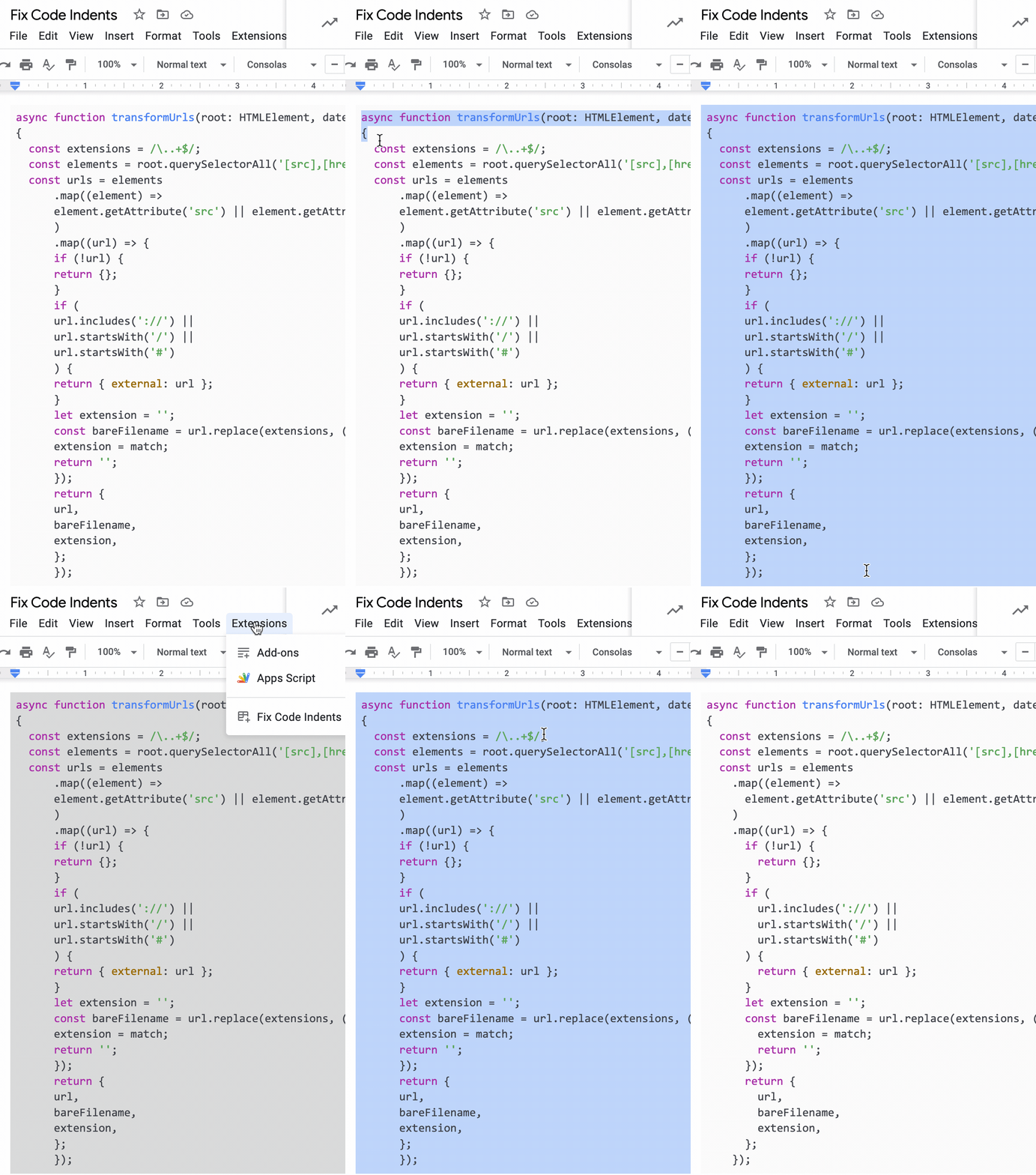
How does Docs™ screw up my indents?
Google Docs™ nonsensically converts the last 4 spaces of every space sequence to a tab when you paste, completely screwing up your indents. And there’s no way to turn it off. This add-on reverses that nonsense. Phooey.
How does this tool fix the indentation?
In the text you select, it converts each tab back to 4 spaces.
But I indent with 1/2/3/8 etc. tabs, not 4
Me too. I indent with 2 spaces. Google Docs™ is so good that it messes up your indents no matter what indent size you use because it converts your pasted code to use a mix of tabs and spaces.
But I indent with tabs
If you use tabs, Docs™ won’t screw up your pasted code as badly. But it’s still a little weird because the indents aren’t a fixed number of character widths. Google Docs™ tabs stops are every ½ inch, regardless of your font size. If you run Fix Code Indents, your tabs will be converted to 4 spaces so indentation will look regular.
Will it mess up the rest of my doc?
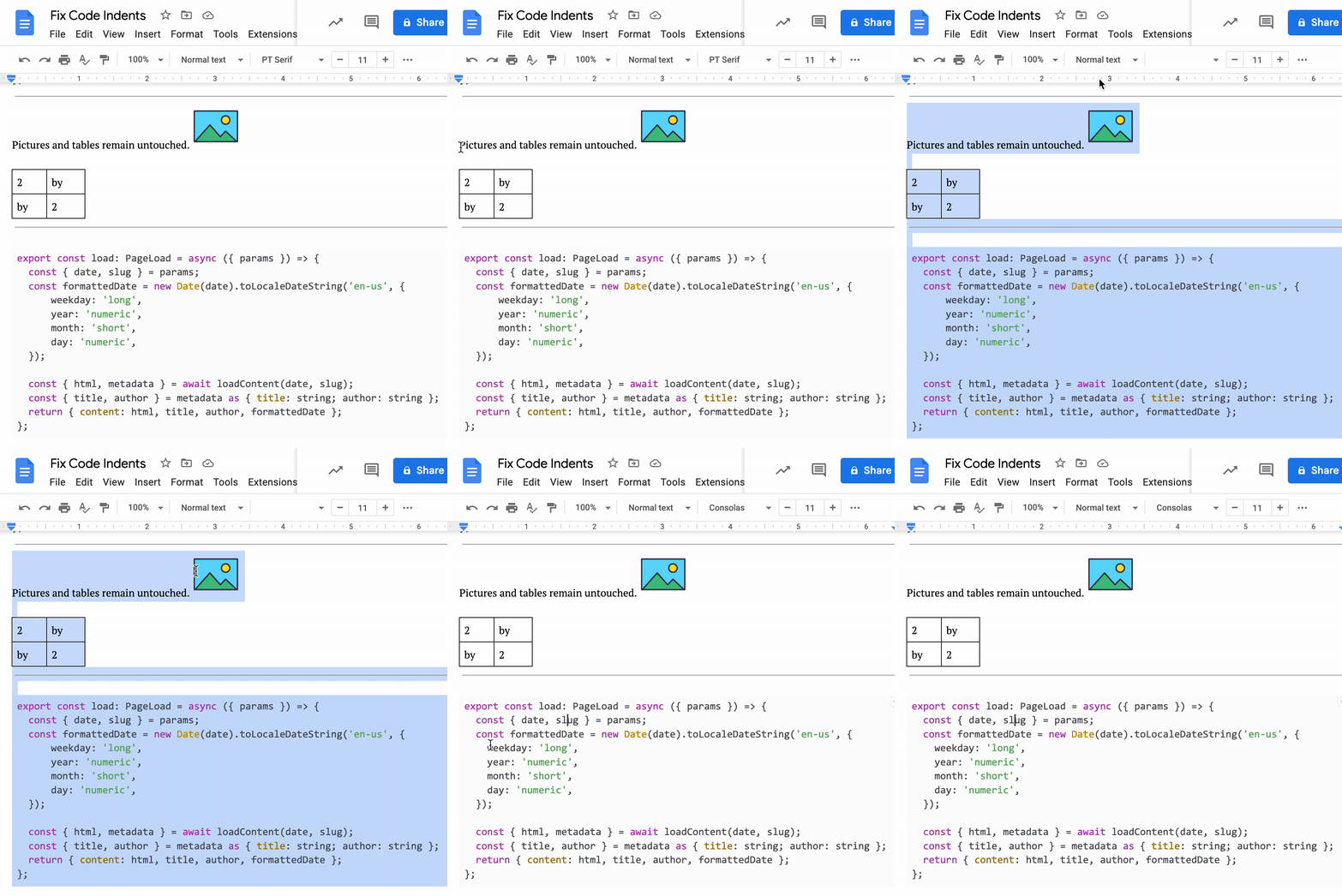
No. In addition to maintaining your syntax highlighting, Fix Code Indents leaves your images, tables, etc. untouched. (It will replace tabs in tables.) You can select the whole doc and convert tabs to spaces safely.
How do I install it?
- Open up Google Docs™.
- Go to the Extensions > Add-ons > Get add-ons menu.
- Search for Fix Code Indents.
- Install.
How do I use it?
- Select some code you’ve pasted into your document.
- Choose Extensions > Fix Code Indents > Reindent.
See screenshot above for an example.